
Stop guessing where your money actually goes.
One spreadsheet tracks a whole year — income, bills, debt, savings and net worth — and turns it into a dashboard that updates itself. No copy-paste. No subscription. No spreadsheet skills needed.
- Instant download
- Excel + Google Sheets
- Any year, any currency
$17.99
one-time payment
Instant download · Works offline · Yours forever
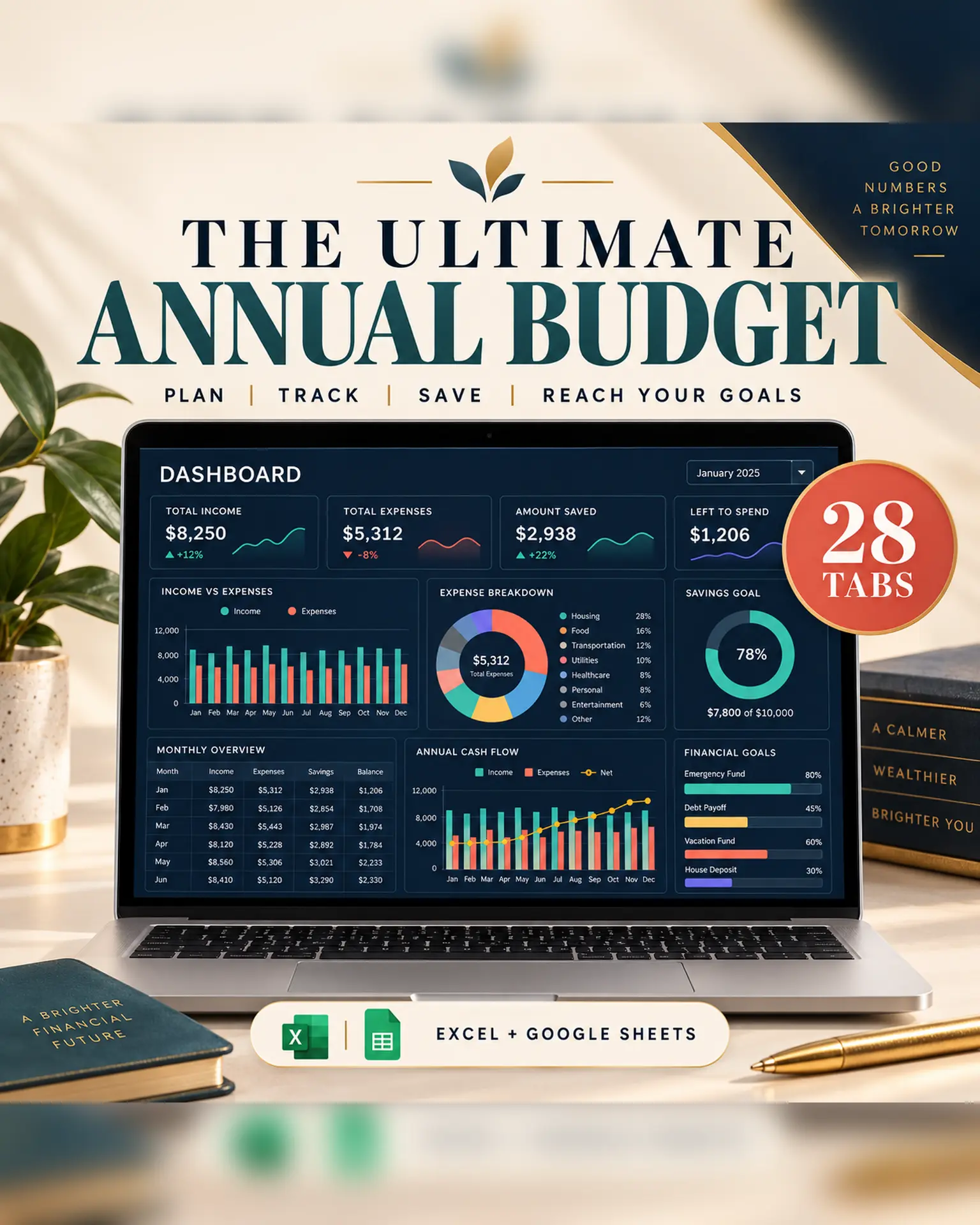
28
tabs, all cross-linked
12
monthly budgets — start any month
6
live charts that redraw themselves
0
formulas you'll ever have to write
Most budget templates die in week three.
They make you enter everything twice — once in the monthly tab, once again in the summary. Miss a few days and the two stop agreeing with each other. Now the file is wrong, fixing it is a chore, and you quietly stop opening it.
That's not a discipline problem. It's a design problem.
The whole idea
One log. Everything else reads from it.
You type a purchase into the Transactions tab — date, description, category, amount. That's the entire job, and it's the only tab you touch daily.
From that single row, the spreadsheet works out which month it belongs to, which category it falls under, whether it's a need, a want or savings, how it changes your budget for that month, what it does to your annual totals, and how it redraws six charts on the dashboard. You never copy a number from one tab to another, because there is nowhere to copy it to.
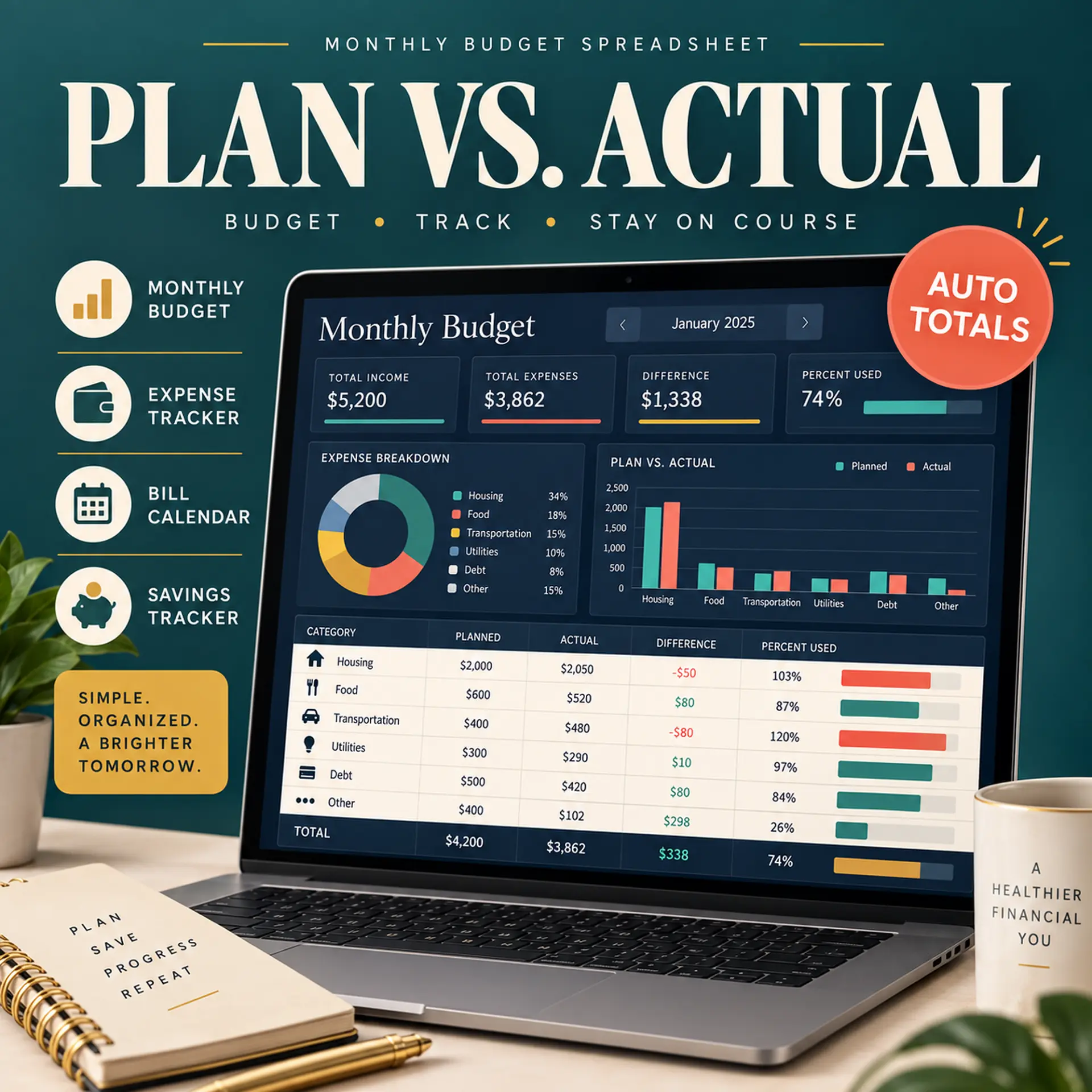
Why it sticks
Built so the numbers keep themselves honest
Six things the spreadsheet does for you, so the only job left is typing what you spent.
Log it once
Type a purchase into the Transactions tab and it lands in the right month, the right category and the right chart automatically.
See the month before it happens
A bill calendar maps every due date across the month. A paycheck planner shows whether each paycheck actually covers what's due before the next one lands.
Put a date on debt-free
Enter your balances and rates and get the month you clear each debt — plus exactly what one extra $50 a month would do to that date.
Stop the December panic
Sinking funds work out what to set aside each month for Christmas, car repairs and insurance renewals, so they stop landing as a shock.
Know your real 50/30/20
Needs, wants and savings as a share of what you actually earn — with a plain verdict, not just a number you have to interpret.
Buy once, use every year
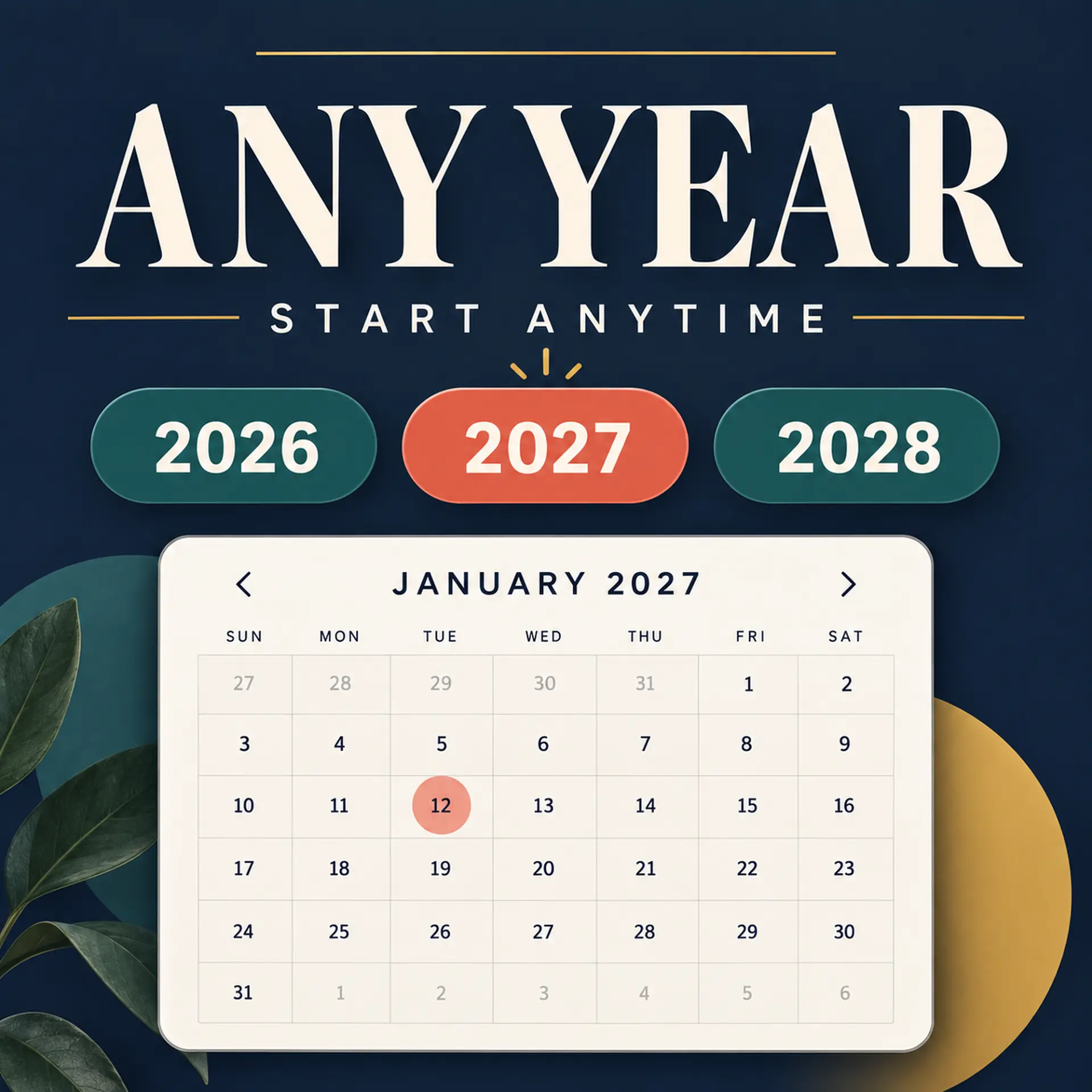
Nothing is dated. Type the year into one cell and all twelve month tabs re-label themselves.
What's inside
All 28 tabs, in four groups
Set it up once, spend a few minutes a week, and let the last two groups do the thinking.
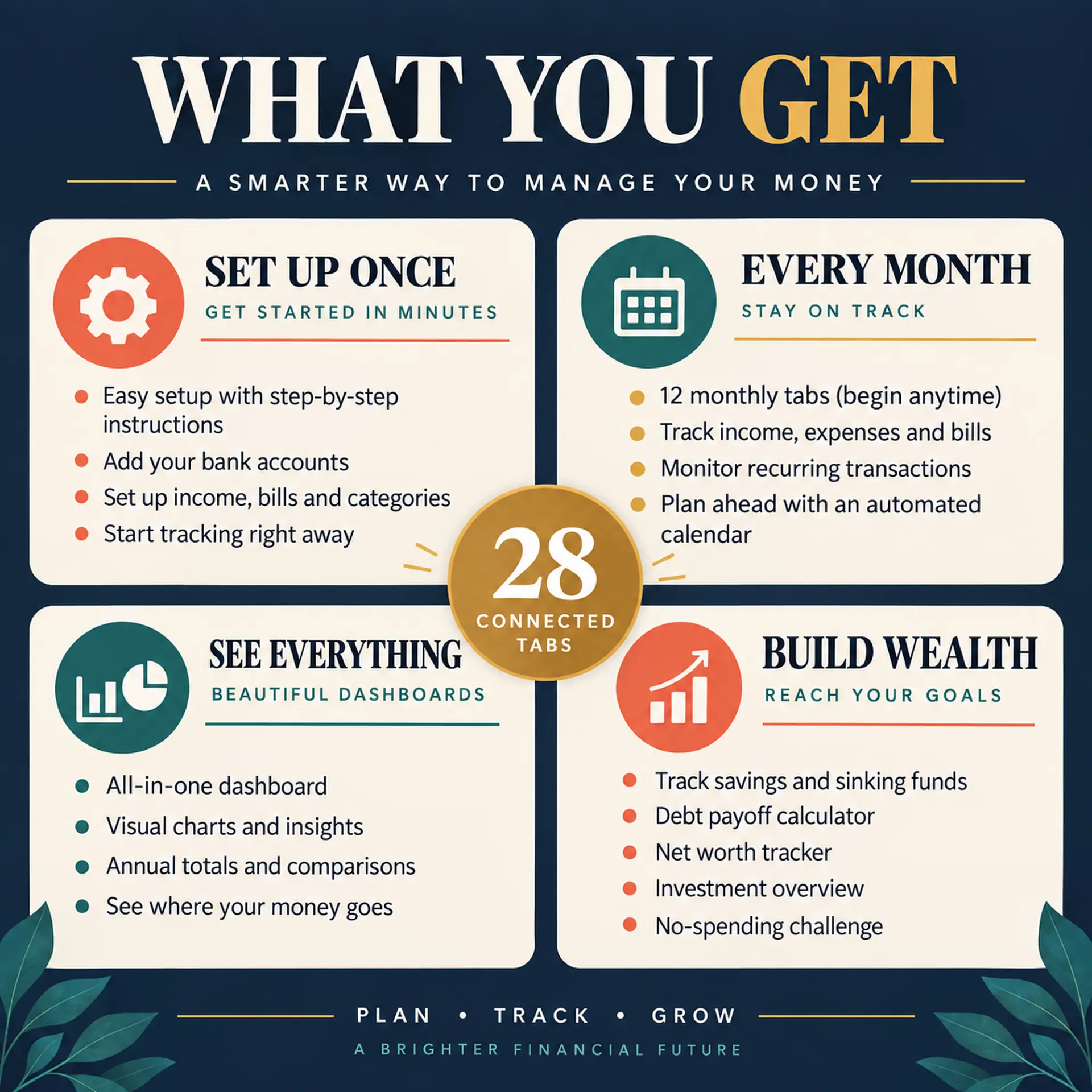
Set up once
- Start Here — a six-step walkthrough in plain English
- Setup — your year, currency and editable category list
- Bank Accounts — every account and card, with balances that keep themselves current
- Recurring — bills and subscriptions with their due dates
- Payments — tick each bill off as you pay it
- Transactions — a 1,000-row log, the only tab you touch daily
Every month
- January through December, one tab each
- Budget vs actual for every category
- Colour-coded the moment you go over
- Needs / wants / savings split
- Month summary with your savings rate
- Start in any month — the earlier ones simply stay empty
See everything
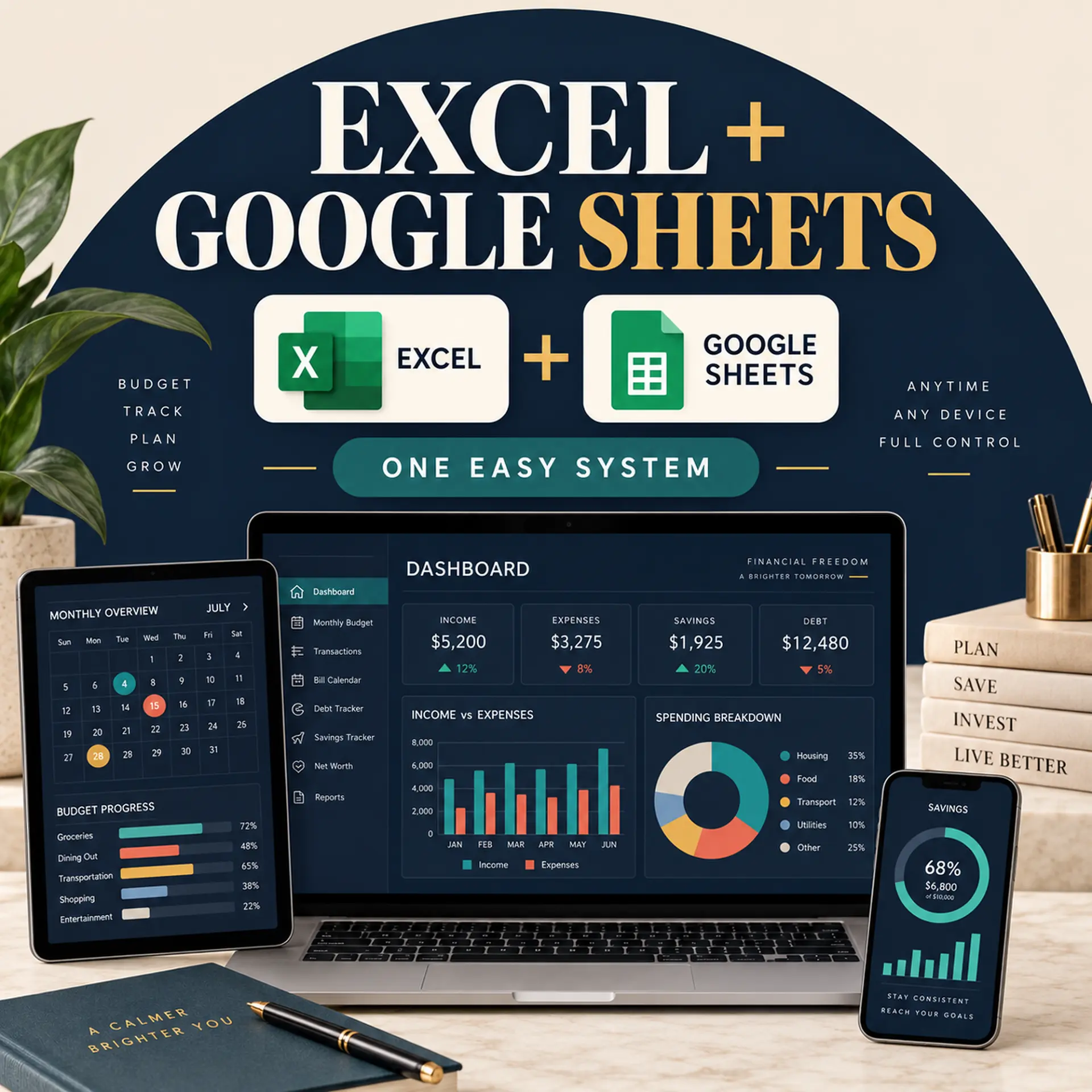
- Dashboard — six live charts, zero manual updates
- Annual Totals — every category across all twelve months in one grid
- Bill Calendar — a day-by-day map of when money leaves
- Paycheck Planner — does this paycheck cover what's due?
- 50/30/20 — your real split, with a verdict
Build wealth
- Sinking Funds — 20 goals, with the monthly amount worked out for each
- Debt Payoff — snowball and avalanche, with payoff dates
- Net Worth — assets minus liabilities, tracked monthly
- Investment Forecast — 30-year compound growth
- No-Spend Challenge — a habit tracker that actually fits a budget
The dashboard you never update
Six charts — income against spending, savings building month by month, where the money actually went, and your real needs/wants/savings split. It reads everything from your transaction log, so there is nothing on this tab for you to maintain.

A date on debt-free
Enter each balance, its rate and the minimum payment, and the sheet returns the number of months to clear it and the total interest you'll pay getting there. Add anything spare in the Extra column and watch both numbers drop in real time.

Know what's leaving and when
The bill calendar lays your recurring payments out day by day with a running total, so you can see the heavy week coming. The paycheck planner splits those bills across your two pay periods and tells you whether each paycheck covers its half.
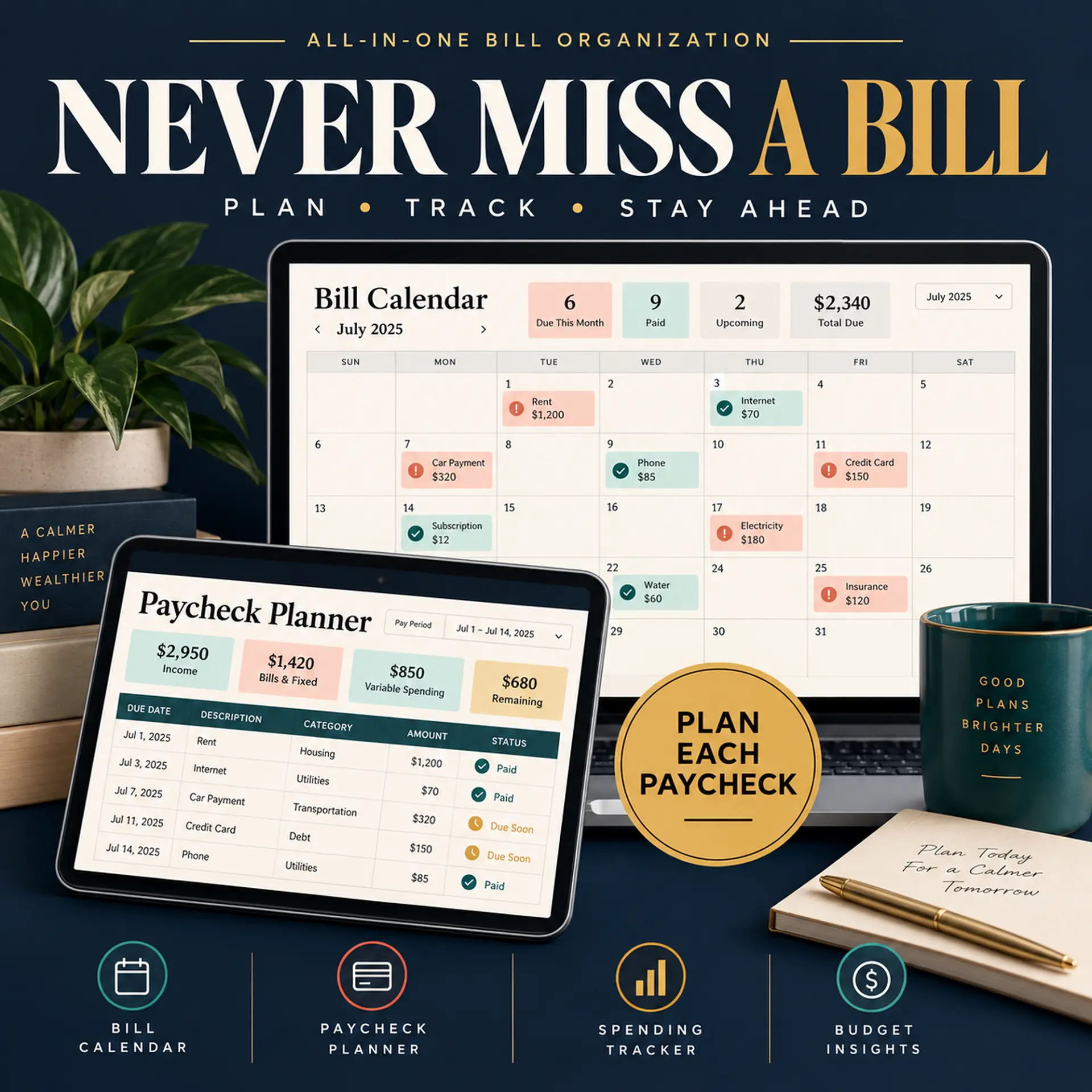
The costs that don't arrive monthly
Christmas, the car service, the annual insurance renewal. Enter the amount and the date you need it by, and the sinking funds tab tells you what to put aside each month so it never lands as a surprise.

Buy it once. Use it every year.
Most budget templates are stamped with a year, which means the one you buy in October has ten weeks of life left in it. This one isn't dated anywhere.
Open the Setup tab, type the year you want into a single cell, and all twelve month tabs, every date formula and the title bar re-label themselves. Next January, save a fresh copy, change the year, and last year's file stays untouched as a record.
- 2026
- 2027
- 2028 and on
Included free
Prefer a browser? There's an app in the box.
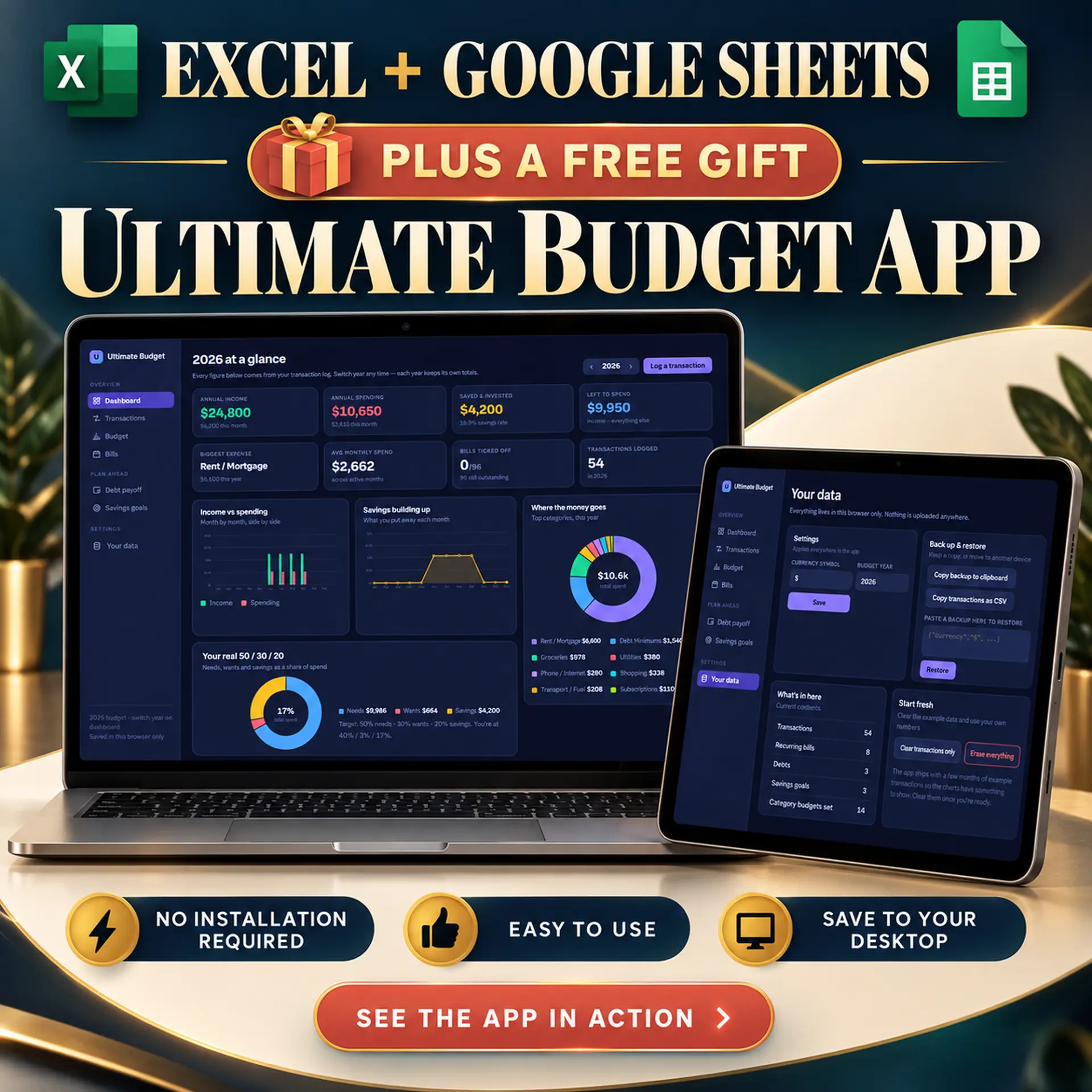
Some people think in spreadsheets. Some don't. So your download also includes the Ultimate Budget app — a single file you open in any browser, with the same dashboard, transactions, budgets, bills, debt payoff and savings goals, laid out as an app instead of a grid.
There's no account to create and nothing to install. Double-click the file and it opens. Your data saves in your own browser and never leaves your computer — no bank login, no server, no company reading your transactions. Use it instead of the spreadsheet, or alongside it.
- No installation
- No login
- Works offline
- Your data stays on your computer
What you receive
One payment, yours forever
- The full 28-tab workbook as an .xlsx file
- A pre-filled example version, so you can see every chart working before you type anything
- A clean blank version, ready for your own numbers
- A one-click link that copies it into your own Google Sheets
- The Ultimate Budget browser app, free
- A written setup guide
- Every future update, free
How it works
Four steps, about ten minutes
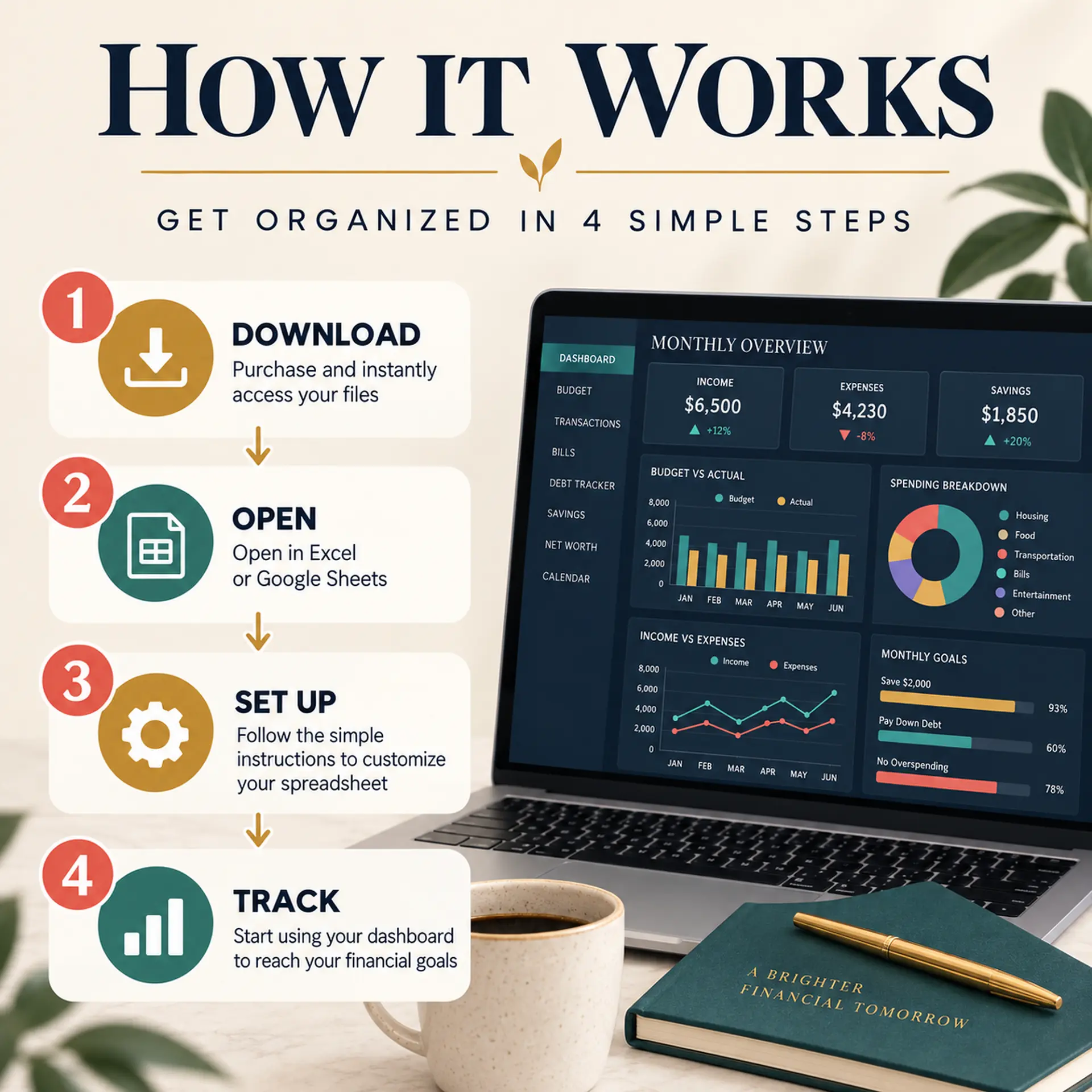
Buy it
One payment of $17.99. No subscription, nothing to cancel later.
Download instantly
Your files arrive the moment payment goes through, and land in your inbox too.
Open it your way
Double-click for Excel, one click for Google Sheets, or open the app in your browser.
Follow Start Here
Six short steps on the first tab and your year is set up.
Who it's for
An honest fit check
This is for you if:
- You've tried budgeting apps and stopped opening them
- You want to see a whole year at once, not just this month
- You have debt and want a real payoff date rather than a feeling
- You're self-employed or your income varies month to month
- You'd rather your financial data stayed on your own computer
This isn't for you if:
- You want transactions imported from your bank automatically — this one you enter yourself
- You need business accounting: invoicing, VAT, profit and loss
- You want a phone app with notifications
- You won't open a file once a week. Nothing here fixes that, and it's the only thing that makes any budget work.
Why not just use an app?
A fair question.
Budgeting apps import your transactions for you, and that's genuinely convenient. They also cost $8–15 every month, want a live connection to your bank, and categorise things wrong often enough that you end up correcting them anyway.
This is one payment of $17.99 for a file that lives on your computer, works with no internet, never expires, and asks for no access to anything. The trade is that you type your own transactions — which takes about two minutes a week, and is the part that actually changes how you spend. Watching the number go in is the whole point.
FAQ
Questions people ask first
Do I need to be good at spreadsheets?
No. You type numbers into coloured cells and that's the whole job. Every formula is already written and locked in place, and the Start Here tab walks you through setup in six steps.
Does it work in Google Sheets?
Yes. You get a one-click link that drops a copy into your own Google Drive. It also opens in Microsoft Excel on Windows, Mac and iPad. Some conditional formatting renders slightly differently between the two, but every calculation is identical.
Which year is it for? Can I start mid-year?
Any year. The file is undated — type the year into one cell on the Setup tab and all twelve month tabs re-label themselves. Every month stands on its own too, so you can begin in September and the earlier months simply stay empty. The dashboard only counts months that have data in them.
Does it work with my currency?
Yes — change the symbol once in the Setup tab. There's no exchange-rate conversion; it's a single-currency budget.
Does it connect to my bank?
No, deliberately. Nothing asks for a bank login and no data leaves your computer. You enter transactions yourself, which is slower than an app and is also the part that actually changes how you spend.
What is the free app, exactly?
A single file you open in your web browser — the same budget laid out as an app rather than a spreadsheet, with the dashboard, transactions, budgets, bills, debt payoff and savings goals. No account, no install, no internet needed. Your data is stored in that browser on that computer only.
Can I use it for my business?
It's built for personal and household budgeting. It handles freelance and side-hustle income fine, but it isn't accounting software — there's no invoicing, VAT or profit-and-loss reporting.
What if I already started a budget somewhere else?
Start this one from today rather than back-filling. The dashboard only counts months with data in them, so a part-year is perfectly normal and still gives you real totals.
Can I share it with my partner?
Yes, within your own household. It's licensed for personal use — not for resale or redistribution.
30 days, no questions.
Buy it, open it, use it for a month. If it doesn't fit the way you think about money, email us and get your money back. Keep the files.
Your money is already going somewhere.
You may as well be the one deciding where.
$17.99
Instant download · Excel, Google Sheets and the browser app · One-time payment
New printables, now and then
A short note when a new printable is added to the shop. Nothing else.